


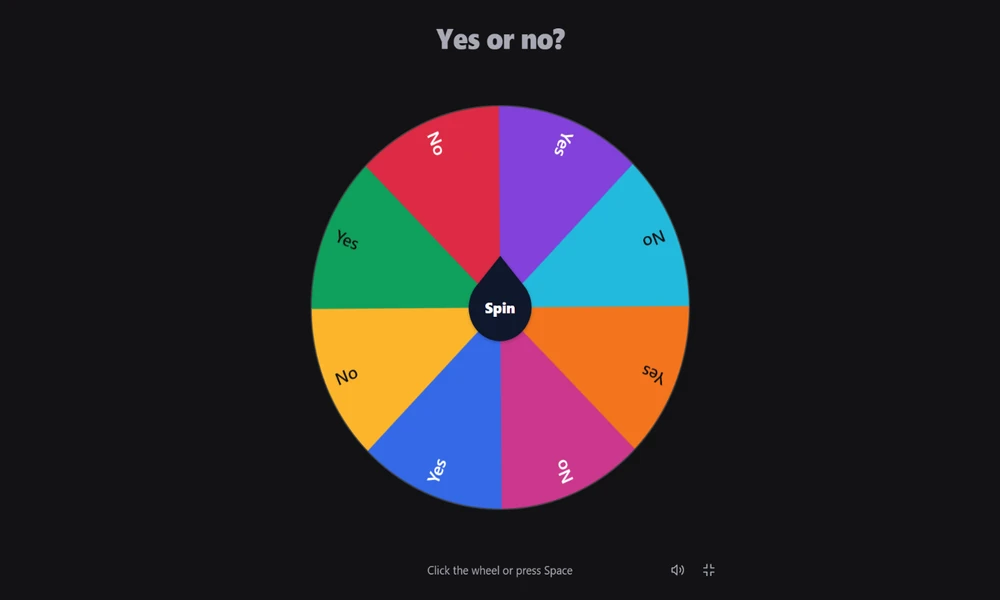
A random picker wheel looks simple on the surface. The setup behind it decides whether the people watching trust the result.
When I recommend a picker tool, I look at three things: how fair the draw is, how fast you can set it up, and how well it fits the group in front of you. A tool that fails on any of these points causes more trouble than it solves.
Based on those points, I point most people to spin the wheel, a free online picker that handles names, winners, and yes or no answers in one place. Below, I will walk you through how to set up a wheel, how to use it in a classroom, how to run a clean giveaway, and how to bring it into games and live streams. By the end, you will know how to run spins that feel fair to every person in the room.
Why the Setup Matters
People accept a random result when they can see the process. A spinning wheel gives them that.
The problem comes when the list is wrong, a name shows up twice, or a winner gets picked a second time. Each of these mistakes makes the result look rigged, even when it is not.
Spend two minutes on setup and you avoid all of that.
Setting Up Your Wheel
Start by typing your entries into the entries panel. From there, you can:
- Shuffle the list to mix up the order
- Sort it to spot duplicates
- Clear it with one click to start over
Each entry can carry a label and a weight. Leave the weights equal for a fair draw. Change them only when you want some options to come up more or less than others, such as a prize wheel with a rare top prize.
The odds and colors section lets you adjust each slice and change the look of the wheel. To spin, click the wheel or press the space bar.
If you do not want to build from scratch, start with one of their premade wheels or lists and edit it to fit your needs.
Using the Wheel in a Classroom
Teachers get the most out of their Random Student Picker. You can build a class roster, mark who is absent, and track who has been called during a round. This keeps the same student from getting picked over and over while others sit out.
You can record right and wrong answers for each student as well, which helps with review games and quick checks for understanding.
One point I want you to know: the site states that student names are not sent to analytics. Rosters stay in your browser, and Pro users who log in can save them to their account to use on other devices.
Running a Fair Giveaway
For a giveaway, the remove option matters most. After a winner is picked, take that entry off the wheel. This lets you draw a second or third winner without repeats.
Every spin is added to a results list. Keep that list open until the giveaway ends. It gives you a clear record if anyone asks who won and in what order.
If your audience is online, use the share link. It saves the wheel’s title, entries, settings, and pictures, and the link does not expire. Anyone with it can open the same wheel you used.
Bringing the Wheel Into Games and Streams
For group games, the team features save time. You can build team lists and share the list or the teams through a link. Join links let players add their own names, and the tool places them on a team.
Streamers have strong options here:
- Broadcast a wheel or teams to your stream through an overlay link
- Connect Twitch to post the winner in your chat
- Turn on chat commands to let viewers join or leave the wheel by typing in chat
If you run a website or blog, you can embed a wheel on your own pages. Embedded wheels do not show ads.
Why I Point People to This Tool
Many picker wheels do one job. This one covers classrooms, giveaways, team games, and streams without forcing you to switch tools.
You do not need an account to use the core features. Your wheels, files, and settings stay in your browser. If you want to log in, you can use an email code or Google, and your saved wheels and default settings follow you to other devices.
The site comes in English, Spanish, Portuguese, French, German, Hindi, and Urdu. They state that they do not sell user data, and they publish a clear privacy policy that explains what is stored and for how long.
A Quick Checklist Before You Spin
Run through this list before any public spin:
- Check the list for typos and duplicate names
- Confirm all weights are equal unless you planned otherwise
- Turn on removal of winners for multi-winner draws
- Keep the results list visible
- Share the wheel link with your audience if they are not in the room
Final Thoughts
A picker wheel works best when the people watching can trust every step. Clean entries, fair weights, and a visible record of results do most of that work for you.
Pick the features that match your setting, test one spin before the real one, and let the wheel do its job.
